
Conan Exiles gives you a huge open-world survival sandbox and an unusually deep set of server settings to shape it. DedicatedMC runs your server on high-clock Ryzen cores so a heavily built map holds up, installs Steam Workshop mods and helps you line up the load order that must match your clients, and hands you the full settings surface — harvest, XP, decay, purge and the whole PvP/PvE ruleset. Manage it live over RCON and the in-game admin panel, keep your game database backed up offsite, and stay online behind enterprise DDoS protection.
Conan Exiles drops your players into a large, open survival world where they gather, build, fight and thrall their way up from the desert. What makes a private server worth running is the control — the game exposes an unusually deep settings surface, so the same install can be a fast-progression casual server one week and a slow, punishing hardcore world the next. You set harvest and XP multipliers, crafting and thrall-conversion speed, building decay timers, purge frequency and difficulty, day and night length, stamina and encumbrance, and the full PvP, PvE and PvE-Conflict ruleset that decides when and where players can damage each other and each other's buildings.
The reason it wants real hardware is the building. Conan Exiles worlds fill up with placed pieces — bases, walls, crafting stations and thralls — and the server has to track all of it, run decay, and drive purges that throw waves of enemies at those bases. A busy PvP server with large clan builds is a genuine CPU workload, and the moment a purge fires on a full server is exactly when oversold hardware stutters. We run Conan Exiles on high-clock Ryzen cores with NVMe storage so the world stays responsive under that load.
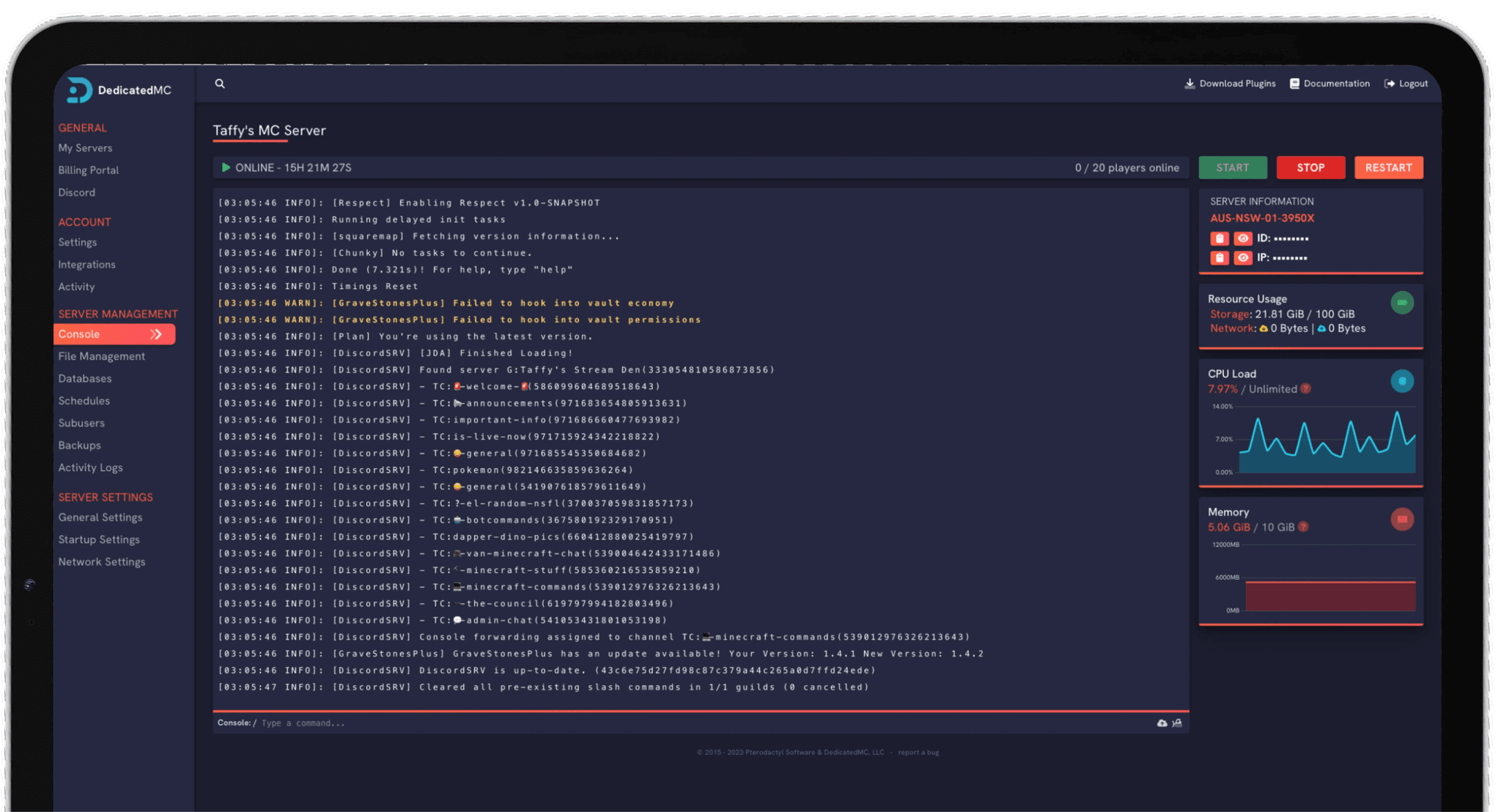
Everything is managed from our in-house panel. The mod list, server settings, live console and scheduled tasks are all there, so you are never dropped to a bare command line to keep the server running or to change how it plays.
High-clock Ryzen cores and NVMe storage keep the server responsive when large clan builds and an active purge would drag oversold hardware to a crawl.
Add Steam Workshop mods from the panel and arrange the load order clearly, so the server list lines up with your clients and players actually connect.
Harvest, XP, decay, purge, day length and the PvP/PvE/PvE-Conflict ruleset are all editable, so you tune the exact server your community wants.
Live RCON and in-game admin control, automatic offsite database backups and enterprise DDoS filtering, backed by 24/7 Discord support from the team that runs it.
If you are running modded, get the mod list right first. Add each Steam Workshop mod to the server, then arrange the load order — the order matters because later mods override the assets and scripts of earlier ones, and the server's list has to match every client's list exactly or players get a mismatch and cannot join. Add mods one at a time, confirm each loads cleanly, and settle the order before you hand the address out. When a Workshop mod updates, pull the new version and make sure your players are on the same one.
Then work through the server settings. Start from the ruleset — PvP, PvE or PvE-Conflict — because it changes how everything else is played, then set your harvest and XP multipliers, crafting speed, decay timers and purge settings to the pace you want. These values are what separate a relaxed builder server from a brutal survival grind, so tune them deliberately.
Once the world is live, connect an RCON client for live moderation, use the in-game admin panel for hands-on world management, and add a scheduled task that backs up your game database regularly. If you are coming from another host, upload your existing database through the file manager — or let the team migrate it across for you.
I've loved this service since I left my old host. I never found a decent provider until this one. They have amazing support and have never let me down, even when I've had serious issues. Their plans are very affordable and for the quality you get I don't think anything beats it. I've used their service for around 4 years now and will continue to be a loyal customer.
Service and customer support? Fantastic. I've never had a single issue with my server they haven't been able to help with. The servers are always running well and their customer support is equally as good — quick, helpful, patient and most importantly very transparent. If there are any issues, they will most definitely be there to help you.
Best company hands down. Their support team is friendly, fast, and incredibly helpful — especially through Discord where you can easily open a ticket. They offer features that some competitors charge extra for, and they genuinely help with server issues without any hassle.
Been with DedicatedMC for just under a year now and have yet to have an issue. I've never had problems with downtime or their support — it's by far the best in the space. They reply almost instantly and are always happy to help.
Switching hosts usually means a weekend of zipping files and hoping nothing breaks. Our importer handles the whole migration automatically — free, on every plan.
Open the importer in your panel and tell it where your current server lives. That's the only thing we need from you.
Worlds, plugins, mods and configs transfer automatically. No zipping files, no FTP client, no support ticket.
Your server comes up on our hardware with everything where you left it. Update your players' IP and you're done.
Unusual setup? Ask on Discord and we'll do it by hand.
Conan Exiles loads mods in a defined order, and that order matters because later mods can override the assets and scripts of earlier ones. The server's mod list has to match the client's list exactly — same mods, same order — or players get a mismatch and cannot join. You set the order in the modlist through the panel, and we surface it clearly so you can line it up with what your players run.
Mods come from the Steam Workshop. You add each mod's Workshop item to the server's mod list, the server downloads it, and you arrange the load order. When a Workshop mod updates, the server needs to pull the new version and your players need the same version, so it is worth watching for updates before a session rather than mid-raid.
Effectively all of them. Conan Exiles exposes an extensive settings surface — harvest and XP multipliers, crafting speed, building decay timers, purge frequency and difficulty, day and night length, stamina and encumbrance, and the whole PvP versus PvE versus PvE-Conflict ruleset. You can run a fast-progression casual server or a slow, punishing survival one from the same install by changing these values.
Yes. RCON is available so you can run admin commands, moderate players, broadcast messages and manage the server live while it is running, either from the panel console or an external RCON client. The in-game admin panel is also available to characters with admin rights for spawning, teleporting and world management.
Conan Exiles stores your world, characters and buildings in a game database file on the server. Automatic offsite backups capture that database on a schedule, so a bad mod update, a decay mishap or a corrupted save does not cost you the world. You can also take a manual backup before a big change and restore a previous one if you need to roll back.
Yes. Conan Exiles DLC is largely cosmetic — building sets, armor and weapon skins, and pets — and it is delivered to players who own it through Steam rather than installed server-side. Your server runs the base game and mods; players with the DLC see their cosmetic content, and players without it still play alongside them.
You set the maximum player slots in the server settings. Conan Exiles' CPU and memory use scale with player count, the number of placed building pieces and thing like active purges, so a heavily built PvP server costs more than a small PvE one. We run on high-clock cores, and upgrades are pro-rated, so you can start with the slot count you need and scale up as the map fills in.