
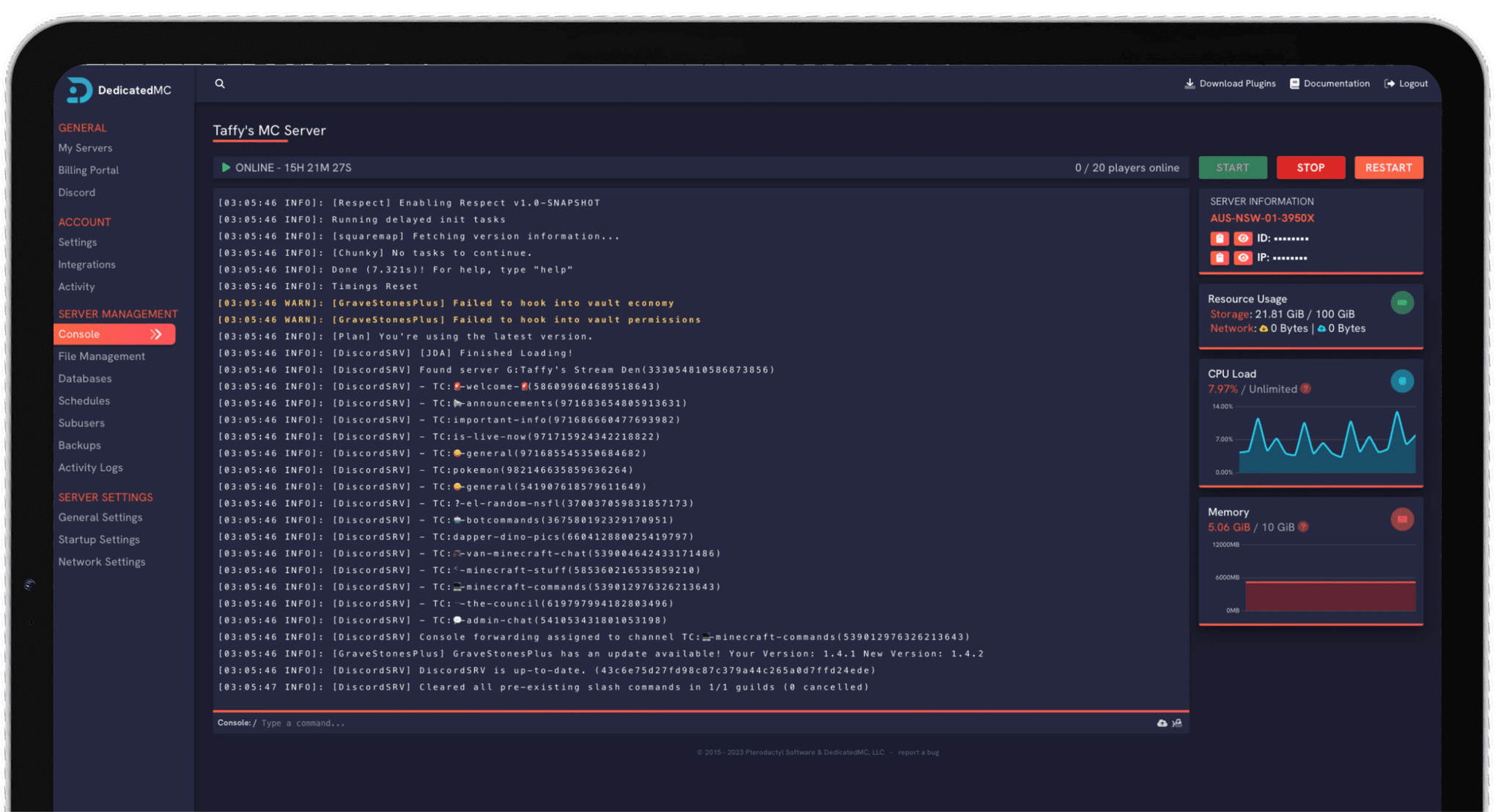
Whether you're running a vanilla SMP, a heavy CurseForge modpack, a plugin-driven survival network or a Bedrock realm for friends, DedicatedMC gives you the raw single-thread performance Minecraft actually cares about. Our in-house panel ships with a 1-click modpack & plugin installer, a jar switcher for PaperMC, Purpur, Forge, Fabric and Vanilla, free MySQL databases for LuckPerms and CoreProtect, and full control over your JVM startup flags for the best possible TPS.



Built on a rock-solid foundation with Dedicated CPU Cores powered by elite AMD Ryzen & Intel Core processors, backed by a 99.95% uptime SLA and publicly verifiable on our HetrixTools dashboard.

Your data is safe with us. We provide enterprise-level DDoS Protection alongside secure Reverse Proxies & SSL, plus automatic data replication every 15 minutes across all plans.

Running on dual 10 GBit/s node uplinks for full redundancy across 200+ owned hypervisors, with in-depth node stats giving you real-time visibility into your server's performance.

Upload any jar, import your existing server automatically, and use our in-house modpack & plugin installer to make changes in seconds. Our 24/7 support team is always on hand.
15-Minute Offsite Replication
Your world is copied to separate hardware every 15 minutes, automatically, on every plan. The most you can ever lose is a quarter of an hour.
Jar Switcher
Switch between PaperMC, Forge, Fabric, Vanilla and more with a single click.
1-Click Optimisation
Automatically apply recommended Paper performance configs. Better TPS, fewer lag spikes.
Free Subdomain
Every server gets a free subdomain so your players can connect without remembering an IP.
Managed Migration
Open a ticket, provide your SFTP details, and we'll move everything for you. Free.
Download from URL
Import worlds, mods, or configs straight to your server — no FTP client needed.
Minecraft is deceptively demanding to host well. The server runs most of its world simulation — mob AI, redstone, hoppers, entity ticks and chunk loading — on a single thread, so raw single-core clock speed matters far more than a huge core count. That is why we run Minecraft on high-frequency AMD Ryzen and Intel hardware instead of the low-clock, densely-packed server chips budget hosts rely on. The payoff is higher, steadier TPS on exactly the workloads that cause lag: large redstone farms, big player counts and heavy modpacks.
Both editions are supported. On Java, the panel's jar switcher lets you move your server between Vanilla, PaperMC, Purpur, Fabric and Forge — and pick the exact game version — from a dropdown, with no file re-uploads. Migrating a survival world onto Paper for better performance, or spinning up a Fabric instance to try a mod, is a couple of clicks. Bedrock realms for console and mobile players deploy the same way, and Geyser lets you bridge the two if you want everyone on one plugin server.
Everything is driven from our in-house panel, a fork of Pterodactyl extended well past stock. The one-click installer pulls plugins from Hangar and SpigotMC and mods and modpacks from Modrinth and CurseForge, every plan includes a free MySQL database for plugins like LuckPerms and CoreProtect, and you keep full control of your JVM flags so you can run tuned Aikar flags for the best garbage collection.
High-clock Ryzen and Intel cores for single-thread TPS, NVMe storage for fast chunk loads, and no overselling — the nodes are not stacked past what they can serve.
Jar switching across Vanilla, Paper, Purpur, Fabric and Forge, a one-click plugin and modpack installer, a full file manager and scheduled restarts — no CLI required.
LuckPerms, CoreProtect, Essentials and any other SQL-backed plugin connect to a database you manage from the panel — no paid add-on, no external service.
Automatic offsite backups of your world, enterprise DDoS filtering, and 24/7 Discord support that puts you in touch with the team that built the platform.
Start by choosing your jar. For most communities PaperMC is the sensible default — it keeps parity with vanilla behaviour while fixing performance and exploit issues. Pick Fabric or Forge only if you are running mods, since plugins and mods are not interchangeable. Set your game version in the same dropdown and restart to apply.
Size your RAM to the workload. A vanilla or lightly-plugged SMP is happy on a few gigabytes; large plugin networks and CurseForge modpacks need noticeably more, and the modpack's own page usually states a recommended figure. Once your server is up, apply a tuned set of Aikar flags in the startup configuration — they change how the JVM handles garbage collection and keep TPS steadier under load.
From there, install your plugins or modpack through the one-click installer, point LuckPerms or CoreProtect at your free MySQL database, whitelist and op players from the live console, and add a scheduled task for a nightly restart to clear memory. If you are moving from another host, the automated importer brings your world and configs across for you.
We host 25 of the most popular CurseForge and Modrinth packs with a one-click install — ATM10, RLCraft, Better MC, Cobblemon and more, each with the RAM it actually needs.
I've loved this service since I left my old host. I never found a decent provider until this one. They have amazing support and have never let me down, even when I've had serious issues. Their plans are very affordable and for the quality you get I don't think anything beats it. I've used their service for around 4 years now and will continue to be a loyal customer.
Service and customer support? Fantastic. I've never had a single issue with my server they haven't been able to help with. The servers are always running well and their customer support is equally as good — quick, helpful, patient and most importantly very transparent. If there are any issues, they will most definitely be there to help you.
Best company hands down. Their support team is friendly, fast, and incredibly helpful — especially through Discord where you can easily open a ticket. They offer features that some competitors charge extra for, and they genuinely help with server issues without any hassle.
Been with DedicatedMC for just under a year now and have yet to have an issue. I've never had problems with downtime or their support — it's by far the best in the space. They reply almost instantly and are always happy to help.
Switching hosts usually means a weekend of zipping files and hoping nothing breaks. Our importer handles the whole migration automatically — free, on every plan.
Open the importer in your panel and tell it where your current server lives. That's the only thing we need from you.
Worlds, plugins, mods and configs transfer automatically. No zipping files, no FTP client, no support ticket.
Your server comes up on our hardware with everything where you left it. Update your players' IP and you're done.
Unusual setup? Ask on Discordand we'll do it by hand.
Yes. You can deploy a Java server or a Bedrock server from the panel. Java gives you the full plugin and modding ecosystem; Bedrock is the right choice if your players are on consoles or mobile. If you want console players on a plugin server, you can also run a proxy like Geyser on Java.
All of them. The panel has a jar switcher that lets you change your server type between Vanilla, PaperMC, Purpur, Fabric and Forge, and pick the exact Minecraft version, from a dropdown. There is no re-uploading of files or hunting for the right build — select it and restart.
The built-in installer pulls plugins from Hangar and SpigotMC and mods and modpacks from Modrinth and CurseForge. Find what you want, click install, and it is dropped into the right folder for you. You can still upload jars manually through the file manager if you prefer.
A dedicated Minecraft server is a server that runs on hardware reserved for you alone, rather than sharing a machine's CPU with other customers. You get consistent performance — no lag spikes caused by noisy neighbours — plus full control over RAM, storage and player slots. DedicatedMC builds every plan on dedicated high-clock AMD Ryzen and Intel hardware with no overselling, and offers full bare-metal machines for large networks.
A vanilla or lightly-plugged survival server for a handful of friends runs comfortably on a few gigabytes. Large plugin networks and heavy CurseForge modpacks want considerably more — modpacks in particular are memory-hungry, and their page usually lists a recommended figure. If you outgrow a plan, upgrades are pro-rated so you only pay the difference.
Every plan includes a free MySQL database you manage from the panel. Plugins such as LuckPerms, CoreProtect and Essentials that store data in SQL connect straight to it — no external database service required.
Yes. You have full control over your startup flags, so you can run tuned Aikar flags for better garbage-collection behaviour and steadier TPS instead of being locked to a fixed configuration.
Yes. Our automated server importer handles the migration for you, and the team offers free migration assistance if you would rather we did it. Your world, plugins and configs come across intact — open a ticket on Discord and we will help.