
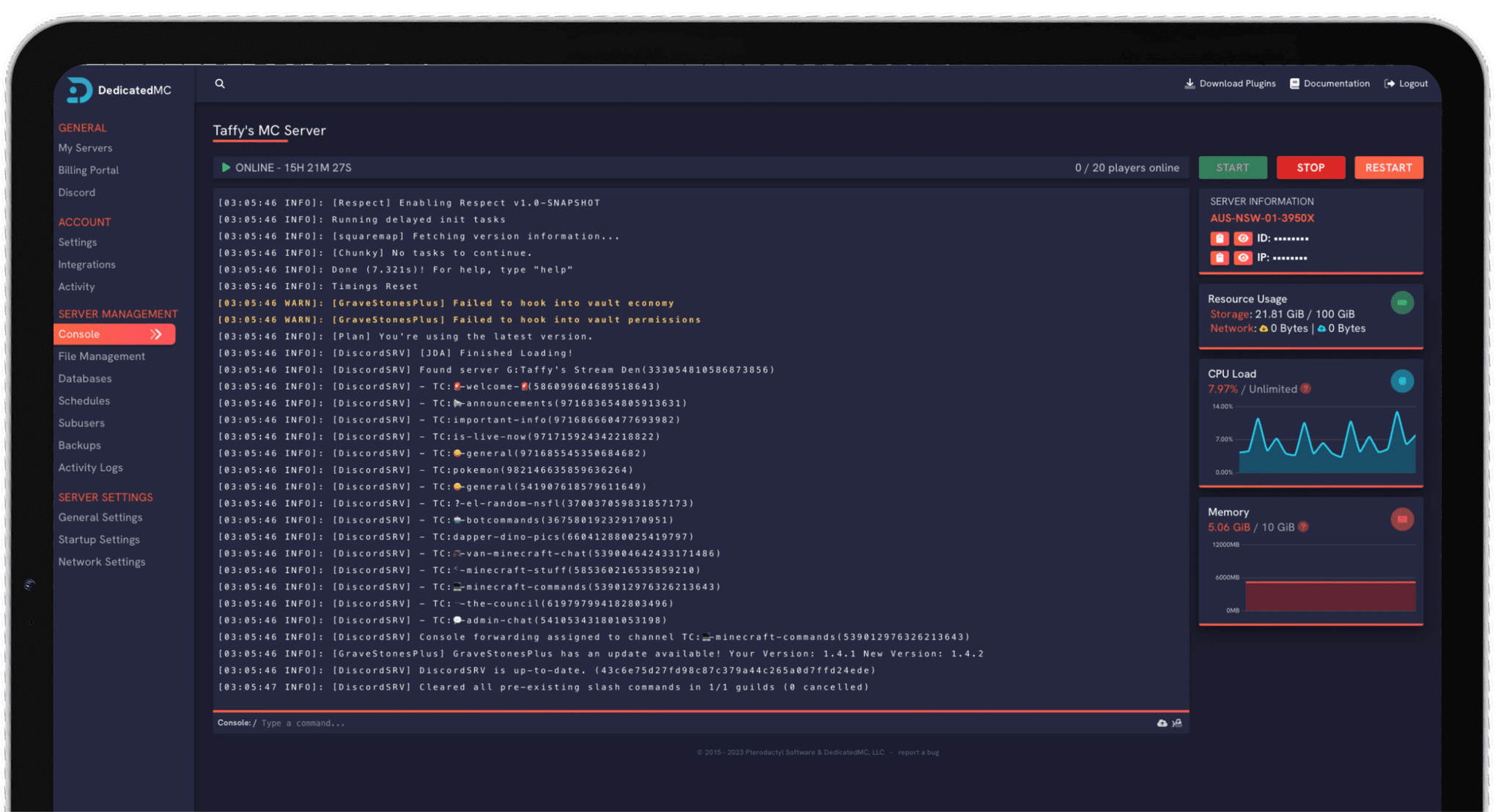
Playing Palworld with friends is far better on a always-on dedicated server than a host's local co-op session — no one gets kicked when the host logs off, and your world keeps ticking. DedicatedMC deploys your Palworld server instantly and gives you the full PalWorldSettings.ini in the panel: raise the player cap, tune capture, breeding and hatching rates, adjust XP and day length, then apply and restart in a click. Automatic offsite backups protect your save, and DDoS protection keeps the base standing.
Palworld lets you host co-op from inside the game, but that session is tied to the host: it caps at a small group and ends the instant the host closes the game, taking everyone's session with it. A dedicated server removes that limit. It runs on its own, stays online around the clock, and supports a much larger group — so friends in other time zones can play whenever they like and the world is always there when you come back.
We deploy your Palworld dedicated server instantly on AMD Ryzen hardware, which matters more than it sounds: a base full of working Pals, ongoing production lines and a busy player count all add up to real simulation load, and high-clock cores keep that running smoothly instead of chugging. You get the whole PalWorldSettings.ini in the panel — no guessing at values buried in a config file you cannot reach.
From that config you control the player cap, capture and spawn rates, breeding and egg-hatching speed, EXP and gather multipliers, day and night length, death penalty, base Pal limits and PvP. Change a value, apply and restart in a click. Automatic offsite backups protect the save, DDoS protection keeps the server reachable, and the world updates cleanly when Pocketpair ships a patch.
No dependence on a host being online. The server runs 24/7, so no one is kicked when someone logs off and progress never stalls waiting for the host.
Every value that matters — player cap, capture and breeding rates, multipliers, day length, death penalty, PvP — editable in the panel, then applied on restart.
Working Pals, production and a full player count add real load. High-clock cores and NVMe storage keep the world smooth where oversold nodes stutter.
Automatic offsite backups of your save, enterprise DDoS filtering and 24/7 Discord support from the team that built and runs the platform.
Set the player cap first — decide how many friends the world is for, and remember that more concurrent players and more built structures use more memory. Then work through the multipliers: capture rate and Pal spawn density shape how quickly your team fills out, while EXP and gather multipliers set the overall pace. There is no right answer here, only the tempo your group enjoys.
Breeding and egg-hatching speed are worth a deliberate choice, since default hatching can be slow for a casual group; raising it keeps a co-op session moving. Day and night length, death penalty and PvP round out the feel — a relaxed base-builder and a hardcore survival run want very different values.
Apply your changes and restart to load them. Most settings take effect on an existing world, though a few only affect newly generated content, so make big decisions early. Take a manual backup before any large change, and if you are moving an existing save from elsewhere, our importer brings it across for you.
I've loved this service since I left my old host. I never found a decent provider until this one. They have amazing support and have never let me down, even when I've had serious issues. Their plans are very affordable and for the quality you get I don't think anything beats it. I've used their service for around 4 years now and will continue to be a loyal customer.
Service and customer support? Fantastic. I've never had a single issue with my server they haven't been able to help with. The servers are always running well and their customer support is equally as good — quick, helpful, patient and most importantly very transparent. If there are any issues, they will most definitely be there to help you.
Best company hands down. Their support team is friendly, fast, and incredibly helpful — especially through Discord where you can easily open a ticket. They offer features that some competitors charge extra for, and they genuinely help with server issues without any hassle.
Been with DedicatedMC for just under a year now and have yet to have an issue. I've never had problems with downtime or their support — it's by far the best in the space. They reply almost instantly and are always happy to help.
Switching hosts usually means a weekend of zipping files and hoping nothing breaks. Our importer handles the whole migration automatically — free, on every plan.
Open the importer in your panel and tell it where your current server lives. That's the only thing we need from you.
Worlds, plugins, mods and configs transfer automatically. No zipping files, no FTP client, no support ticket.
Your server comes up on our hardware with everything where you left it. Update your players' IP and you're done.
Unusual setup? Ask on Discordand we'll do it by hand.
Hosting co-op from inside the game caps the session at a small group and ends the moment the host closes Palworld — everyone else is disconnected and progress on that world pauses. A dedicated server runs independently, stays online around the clock, and supports a much larger player count, so your world keeps ticking whether or not you are playing.
A dedicated server supports far more players than an in-game co-op session — you set the player cap yourself in PalWorldSettings.ini. Raise or lower it to suit your group, keeping in mind that more concurrent players and more built structures use more memory.
Yes — you get the full configuration. Adjust the player cap, capture and spawn rates, breeding and egg-hatching speed, EXP and gather multipliers, day/night length, death penalty, base Pal limits and PvP from the panel, then apply and restart in a click. You can also edit the file directly in the file manager.
Yes. That is the main reason to run a dedicated server. It stays up 24/7 on our hardware regardless of who is online, so friends in other time zones can play whenever they like and your world is always there when you return.
Palworld dedicated servers are provided for the Steam version of the game, and cross-play between the Steam and Xbox/Microsoft Store versions has historically been limited. If your whole group is on Steam a dedicated server is the best experience; if you have Xbox players, check Palworld's current cross-play support before you commit, and open a ticket if you would like us to confirm what is possible.
Your save is backed up automatically to offsite storage, and you can restore from the panel if something goes wrong. It is also worth taking a manual backup before you install anything experimental or make big settings changes.
Yes. Most PalWorldSettings.ini values can be changed on an existing world — update them in the panel and restart to apply. A few settings only affect newly generated content, so a rate change may apply going forward rather than retroactively.