
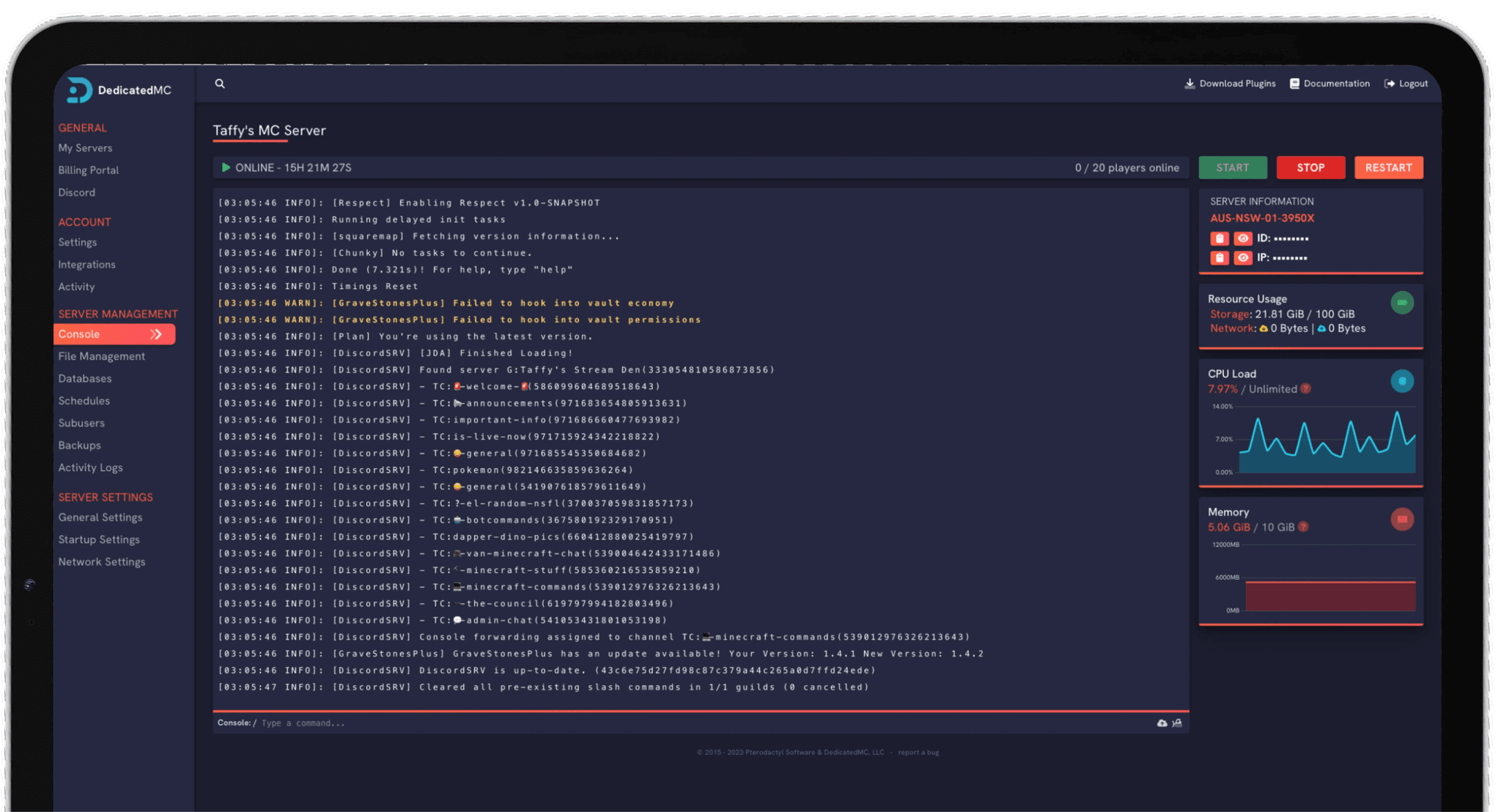
Modded Minecraft is where cheap hosting falls apart. A kitchen-sink pack loads hundreds of mods, each adding machines, mobs and worldgen that the server has to simulate every tick. DedicatedMC runs modded on high-frequency Ryzen and Intel cores with the RAM heavy packs actually need. Install All the Mods, RLCraft, Better MC, Pixelmon or Create in one click from CurseForge, FTB or Modrinth, pick Forge, Fabric or NeoForge, and keep full control of your JVM and Aikar flags for the best TPS.
A modded server does far more work per tick than vanilla. Tech mods run machine networks and item pipes, magic and adventure packs add custom mobs and worldgen, and packs like Create simulate contraptions with real moving parts — all of it landing on Minecraft's single main thread. Because that thread is bound to one core, tick rate is decided by clock speed, not core count. We run modded on high-frequency Ryzen and Intel cores so a full base and a busy world hold their TPS instead of dropping into the visible lag that plagues oversold budget nodes.
The other half of the problem is memory. Every mod loads registries, recipes and worldgen features into the heap, so RAM demand climbs quickly with the mod count. A lightweight Fabric performance pack runs lean, but a heavyweight All the Mods world or a fully-featured RLCraft save wants 8GB or more of headroom before it stops garbage-collecting under load. We pair the CPU with generous RAM allocations and NVMe storage so chunk generation — the most demanding thing a modded server does — does not stall the tick loop.
Everything runs through our in-house panel, a Pterodactyl fork extended well past stock. The one-click installer pulls full modpacks from CurseForge, the FTB catalogue and Modrinth, the file manager gives you direct access to the mods and config folders, and you keep complete control of your startup command so you can run tuned Aikar flags rather than a fixed JVM profile.
Modded logic runs on the single main thread, so high-frequency Ryzen and Intel cores keep TPS up where a low-clock budget chip would grind under the mod load.
Generous memory allocations for kitchen-sink packs, with pro-rated upgrades so you can move from a light Fabric pack to a heavy All the Mods world as you grow.
Install packs straight from CurseForge, FTB and Modrinth with the matching loader and configs — or drop a private server pack into the file manager.
Forge, Fabric and NeoForge with the exact build pinned, plus complete control of your JVM and Aikar flags, backups and enterprise DDoS protection.
Start with the loader your pack was built for. Forge runs the long-established tech and adventure packs, NeoForge is where most newer 1.20.4-and-later packs have moved, and Fabric covers the lightweight performance scene built around mods like Lithium and Sodium. Mods are not portable across loaders, so match the loader and Minecraft version to the pack exactly — the installer pins both for you when you deploy from a catalogue.
Size your RAM to the pack before you invite players. Check the pack's recommended figure, give it a little headroom for the chunks your players will generate, then apply a tuned set of Aikar flags in the startup command. Those flags reshape how the JVM handles garbage collection across a large heap, which is exactly what keeps a memory-hungry pack from stuttering when the collector runs.
From there, tune the pack from the file manager: adjust mod configs, add client-optional performance mods, or remove one that misbehaves, keeping the server and client lists in sync where a mod is required on both. Add a scheduled nightly restart to clear memory, and if you are moving from another host our automated importer brings your world, mods and configs across intact.
Every pack we host has its own page with the recommended RAM, loader and version — and installs automatically when you order. Not listed? The panel installs any CurseForge or Modrinth pack.
I've loved this service since I left my old host. I never found a decent provider until this one. They have amazing support and have never let me down, even when I've had serious issues. Their plans are very affordable and for the quality you get I don't think anything beats it. I've used their service for around 4 years now and will continue to be a loyal customer.
Service and customer support? Fantastic. I've never had a single issue with my server they haven't been able to help with. The servers are always running well and their customer support is equally as good — quick, helpful, patient and most importantly very transparent. If there are any issues, they will most definitely be there to help you.
Best company hands down. Their support team is friendly, fast, and incredibly helpful — especially through Discord where you can easily open a ticket. They offer features that some competitors charge extra for, and they genuinely help with server issues without any hassle.
Been with DedicatedMC for just under a year now and have yet to have an issue. I've never had problems with downtime or their support — it's by far the best in the space. They reply almost instantly and are always happy to help.
Switching hosts usually means a weekend of zipping files and hoping nothing breaks. Our importer handles the whole migration automatically — free, on every plan.
Open the importer in your panel and tell it where your current server lives. That's the only thing we need from you.
Worlds, plugins, mods and configs transfer automatically. No zipping files, no FTP client, no support ticket.
Your server comes up on our hardware with everything where you left it. Update your players' IP and you're done.
Unusual setup? Ask on Discord and we'll do it by hand.
All three. The panel installs Forge, NeoForge and Fabric, and lets you pin the exact loader build and Minecraft version from a dropdown. NeoForge is the fork most newer 1.20.4+ packs have moved to, Forge still runs the long-established packs, and Fabric covers the lightweight performance-mod scene. Pick the loader your pack was built for — mods for one loader will not load on another.
The one-click installer pulls packs directly from CurseForge, the FTB app catalogue and Modrinth. Search for the pack, choose the version, and it downloads the full mod set, configs and the matching loader for you — no assembling the jar list by hand. You can also drop a server pack zip into the file manager if you are running a private or custom-built pack.
Far more than vanilla. A light Fabric performance pack is happy on 3-4GB, but a heavyweight kitchen-sink pack like All the Mods or a big RLCraft world wants 8GB or more, and the pack's own page usually states a recommended figure. RAM demand scales with the mod count and the number of loaded chunks, so a busy server with several bases needs headroom. Upgrades are pro-rated if you outgrow your plan.
Yes. Modded worlds run far more per-tick logic — machines, pipes, mob spawners, worldgen and chunk-loading from mods like Create or the tech packs all land on the main server thread. Because that thread is single-core bound, high clock speed decides whether your tick rate holds. We run modded Minecraft on high-frequency Ryzen and Intel cores for exactly that reason.
Yes. You have full control of the startup command and JVM flags. A tuned set of Aikar flags changes how the JVM's garbage collector behaves under a large heap, which keeps TPS steadier on memory-hungry packs and reduces the stutter that comes from long GC pauses. You set the flags and heap size yourself rather than being locked to a fixed profile.
Yes. The file manager gives you direct access to the mods folder, so you can add client-optional mods, drop in an add-on or remove one that is misbehaving. Keep server and client mod lists in sync where a mod is required on both sides, and restart to apply. Configs live in the config folder and are editable in the same place.
Yes. Our automated importer brings your world, mods and config folders over intact, and the team offers free migration help if you would rather we handle it. Because your loader version and mod list come with the world, the pack picks up where it left off — open a ticket on Discord and we will get you moved.