
Enshrouded is at its best when the world is always there — your group logging in on their own schedule, progression continuing whether or not the host is online. A dedicated server does that, and it takes the world simulation off your own machine. DedicatedMC runs Enshrouded on high-clock Ryzen cores that keep the game's constant terrain streaming smooth for a full sixteen players. Edit enshrouded_server.json directly, dial in world and flame settings, back up your save on a schedule, and stay online behind enterprise DDoS protection.
Enshrouded is built for co-op survival, and a shared world is far better when it does not depend on one person being online. Host from your own client and the world lives and dies with your session — everyone is locked out the moment you log off, and your machine carries both the game and the server at once. A dedicated server keeps the world running around the clock for all sixteen players, so people join on their own schedule and progress continues while you are away. Each player keeps their own character while sharing the same base-building world.
The reason it wants real hardware is the world itself. Enshrouded terrain is fully voxel-based and destructible — every block can be mined, reshaped or built on — and the server streams that terrain and its structures around players as they explore and dig. With a full group spread across the map, that constant streaming plus the physics on a freely editable world is a genuine CPU workload. We run Enshrouded on high-clock Ryzen cores with NVMe storage so the streaming stays smooth and the server does not hitch when several players load new terrain at once.
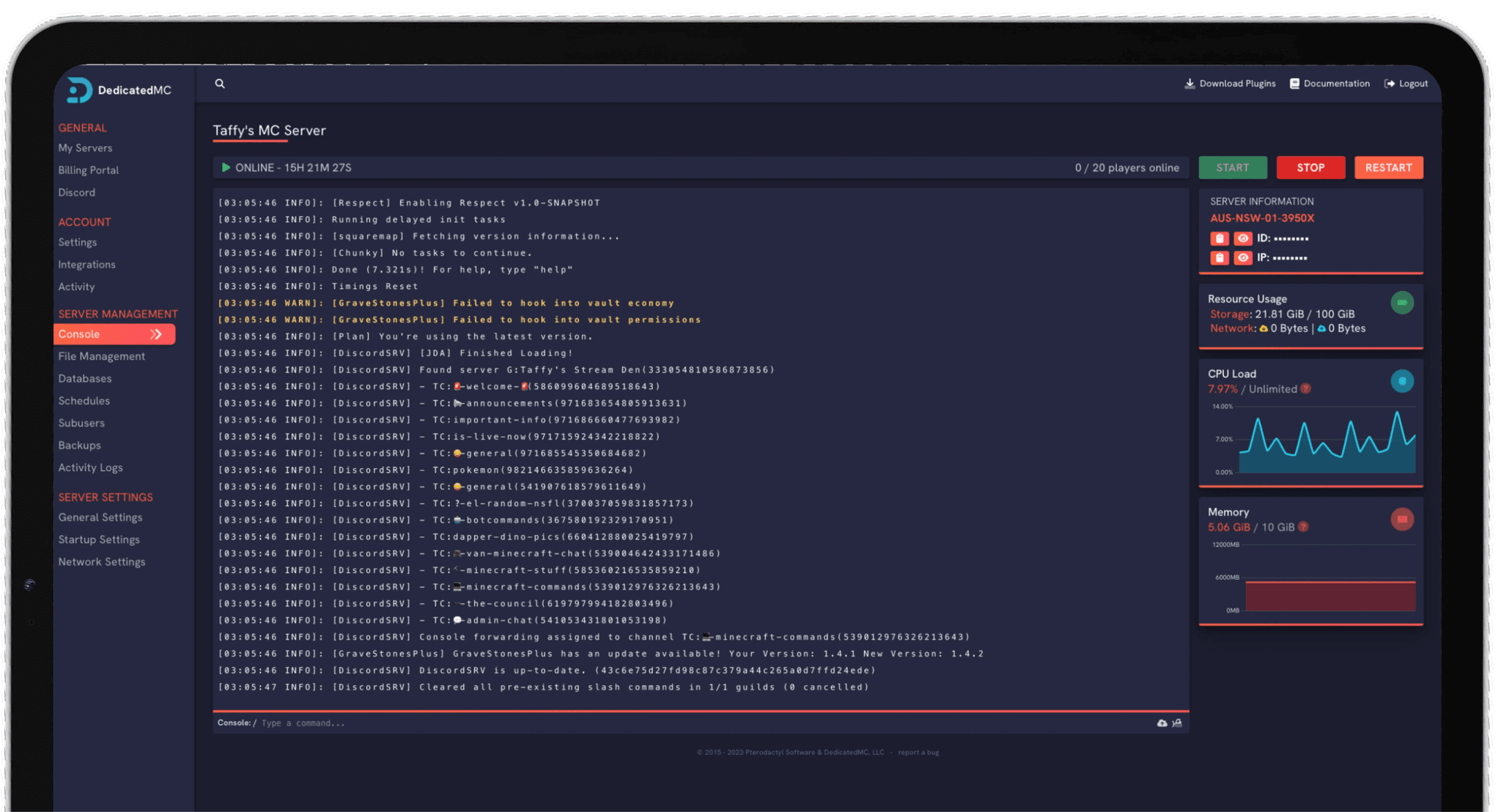
Everything is managed from our in-house panel. The file manager gives you direct access to enshrouded_server.json for the server name, password, slot count and save directory, the live console shows what the server is doing, and scheduled tasks handle restarts and backups. You are never dropped to a bare command line to keep the server running.
High-clock Ryzen cores and NVMe storage keep Enshrouded's constant terrain streaming smooth for a full sixteen-player group instead of hitching under load.
The world runs around the clock so players join whenever they want and progression continues whether or not the host is logged in.
Edit enshrouded_server.json and the game settings directly for slot count, difficulty, resource rates and flame progression — from a preset or fully custom.
Automatic offsite world backups, enterprise DDoS filtering and 24/7 Discord support from the team that built and runs the platform.
Start with enshrouded_server.json. Set the server name and password, choose your player slot count up to sixteen, and confirm the save directory that points at your world. These are the settings that decide who can join and where the world lives, so get them right before you hand the address out — a restart applies any change you make to the file.
Then tune the game settings to the group you have. The difficulty block controls enemy health and damage, stamina and hunger, resource drops and durability, the day and night cycle, and the flame altar progression that gates how far into the Shroud you can push. A relaxed, builder-focused server and a harsh survival one are the same world with different values here — start from a preset difficulty and adjust the individual multipliers from there.
Once the world is live, add a scheduled task for regular backups so a bad update or a building mistake never costs you the whole save, and take a manual backup before any large change you are unsure about. If you are bringing an existing world across, upload the save through the file manager and point the save directory at it — or let the team migrate it for you.
I've loved this service since I left my old host. I never found a decent provider until this one. They have amazing support and have never let me down, even when I've had serious issues. Their plans are very affordable and for the quality you get I don't think anything beats it. I've used their service for around 4 years now and will continue to be a loyal customer.
Service and customer support? Fantastic. I've never had a single issue with my server they haven't been able to help with. The servers are always running well and their customer support is equally as good — quick, helpful, patient and most importantly very transparent. If there are any issues, they will most definitely be there to help you.
Best company hands down. Their support team is friendly, fast, and incredibly helpful — especially through Discord where you can easily open a ticket. They offer features that some competitors charge extra for, and they genuinely help with server issues without any hassle.
Been with DedicatedMC for just under a year now and have yet to have an issue. I've never had problems with downtime or their support — it's by far the best in the space. They reply almost instantly and are always happy to help.
Switching hosts usually means a weekend of zipping files and hoping nothing breaks. Our importer handles the whole migration automatically — free, on every plan.
Open the importer in your panel and tell it where your current server lives. That's the only thing we need from you.
Worlds, plugins, mods and configs transfer automatically. No zipping files, no FTP client, no support ticket.
Your server comes up on our hardware with everything where you left it. Update your players' IP and you're done.
Unusual setup? Ask on Discord and we'll do it by hand.
Enshrouded dedicated servers support up to sixteen players in a shared world. You set the slot count in enshrouded_server.json, so you can run a small co-op group or fill all sixteen. Every player who joins keeps their own character progression while sharing the same base-building world.
Hosting from your own client ties the world to your session — when you log off, everyone else is locked out, and your machine has to carry both the game and the world simulation. A dedicated always-on server keeps the world running around the clock, so your group can jump in whenever they want and progress continues while you are away.
Yes. The file manager gives you direct access to enshrouded_server.json, where you set the server name, password, player slot count, save directory and the game settings block. You can edit it in place and restart to apply, or tune the common options from the panel without hunting through files.
The game settings control the survival experience — enemy health and damage, stamina and hunger rates, resource drops, durability, the day and night cycle and the flame altar progression that gates the Shroud. You can run a relaxed builder-focused world or a harsher survival one by adjusting these values, either from a preset difficulty or fully custom.
Enshrouded's world is fully voxel-based and destructible, and it streams terrain and structures around players as they explore and dig. That constant streaming and the physics on a freely editable world put real load on the CPU, especially with a full sixteen-player group spread across the map. High-clock cores and NVMe storage keep that streaming smooth instead of hitching.
Yes. Automatic offsite backups capture your world save on a schedule, so a bad update, a building mistake or a corrupted save does not cost you the whole world. You can also trigger a manual backup from the panel before a big change, and restore a previous save if you need to roll back.
Yes. Upload your existing save through the file manager, point the save directory in enshrouded_server.json at it and restart. If you would rather we handled the move, the team offers free migration help — open a ticket on Discord and we will bring your world across for you.