
Project Zomboid punishes downtime and weak hardware in equal measure. Your world keeps simulating whether or not anyone is logged in, and a high zombie population across a busy map leans hard on a single CPU core. DedicatedMC runs your server on high-clock hardware so the tick holds steady, gives you full access to servertest.ini and the sandbox ruleset, installs Steam Workshop mods with the load order you set, and backs up your save automatically so permadeath stays a story and not a disaster.
The point of a hosted Project Zomboid server is a persistent world. Run it on a dedicated 24/7 instance and the save keeps ticking around the clock, so a friend in another timezone can log in, tend the base and log out without anyone needing to host from their own machine. Crops keep growing, generators keep burning fuel, and the world your group has built stays exactly where you left it.
Zomboid is heavier to host than it looks. The simulation — zombie pathing, sight and hearing checks, item and vehicle state across loaded cells — runs largely on a single thread, so single-core clock speed matters far more than a big core count. That is exactly the load that spikes when you crank the population multiplier or a crowd gathers on a helicopter event, and it is where oversold budget nodes start to fall behind the tick. We run on high-clock hardware for that reason.
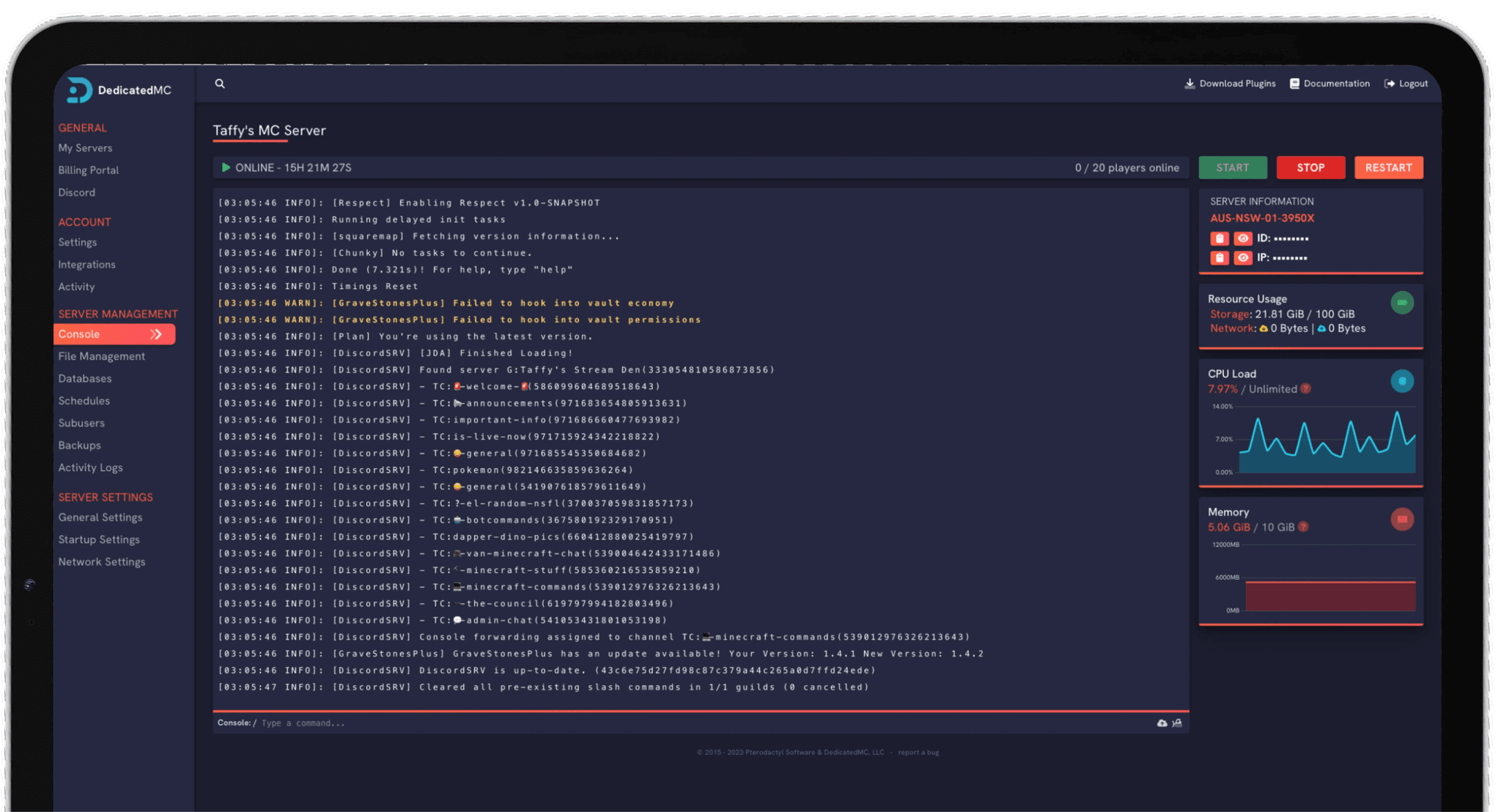
Everything is driven from our in-house panel. You edit servertest.ini and your sandbox settings directly through the file manager, manage the live console, add a whitelist and schedule restarts without touching a command line — the same panel our Minecraft and Rust customers use, adapted to how Zomboid actually runs.
High-frequency cores and NVMe storage keep the simulation on pace when a high zombie population and a busy map would drag oversold hardware behind the tick.
Every population, loot, XP and safehouse value is yours to edit in the file manager — no locked presets, no waiting on a ticket to change a multiplier.
Add Workshop and mod IDs, set the load order, and restart to pull them. Editing both lists directly means dependencies load in the right sequence.
Automatic offsite save backups, whitelist access control, enterprise DDoS filtering and 24/7 Discord support from the team that runs the platform.
Start with the sandbox settings, because a few of them are effectively permanent once a world is generated. Decide on your zombie population multiplier, their speed and senses, loot rarity and the XP multiplier before your group commits real hours to a save — turning the map into a nightmare later is easy, but undoing a world-defining choice usually means a fresh start. Set the survival-focused values, like starting conditions and respawn behaviour, to the pace your group wants.
For mods, add each Workshop ID and its matching mod ID to servertest.ini and restart so the server subscribes and downloads them. Add mods a few at a time and confirm the world still loads cleanly before piling on more, and keep dependency mods ahead of the mods that need them — load order is the single most common reason a Workshop mod fails to appear. Map mods in particular want to be ordered carefully so their cells slot in around the base map.
Once the ruleset is set, run the server whitelisted if it is private, set your safehouse rules, and schedule a nightly backup so a wiped base is a rollback rather than a lost campaign. If you are moving from a local co-op host or another provider, our automated importer brings your existing save and mod list across for you.
I've loved this service since I left my old host. I never found a decent provider until this one. They have amazing support and have never let me down, even when I've had serious issues. Their plans are very affordable and for the quality you get I don't think anything beats it. I've used their service for around 4 years now and will continue to be a loyal customer.
Service and customer support? Fantastic. I've never had a single issue with my server they haven't been able to help with. The servers are always running well and their customer support is equally as good — quick, helpful, patient and most importantly very transparent. If there are any issues, they will most definitely be there to help you.
Best company hands down. Their support team is friendly, fast, and incredibly helpful — especially through Discord where you can easily open a ticket. They offer features that some competitors charge extra for, and they genuinely help with server issues without any hassle.
Been with DedicatedMC for just under a year now and have yet to have an issue. I've never had problems with downtime or their support — it's by far the best in the space. They reply almost instantly and are always happy to help.
Switching hosts usually means a weekend of zipping files and hoping nothing breaks. Our importer handles the whole migration automatically — free, on every plan.
Open the importer in your panel and tell it where your current server lives. That's the only thing we need from you.
Worlds, plugins, mods and configs transfer automatically. No zipping files, no FTP client, no support ticket.
Your server comes up on our hardware with everything where you left it. Update your players' IP and you're done.
Unusual setup? Ask on Discord and we'll do it by hand.
Those live in your sandbox settings, applied per world when it is first created and editable afterwards through the panel's file manager. You control zombie population multipliers, their sight, hearing, speed and respawn behaviour, loot rarity, and the XP multiplier that sets how fast survivors level skills. Some values only take effect on a fresh world, so decide on the harder-to-change ones — like population and map — before your group sinks hours into a save.
Add each mod's Workshop ID to the WorkshopItems line and its mod ID to the Mods line in servertest.ini, then restart so the server subscribes and pulls them. Order does matter: mods load in the sequence you list them, so a mod that depends on another has to come after it. Getting a dependency out of order is the usual cause of a mod silently failing to load.
There is no hard cap in the software, but Project Zomboid is CPU-bound and every connected player adds simulation load. A small friends-group server runs comfortably; large public servers with dozens of players need real single-thread headroom to avoid the tick falling behind. We run on high-clock cores for that reason, and upgrades are pro-rated so you can scale as your player count grows.
Yes. Safehouse rules are part of the sandbox and server config — you decide whether players can claim safehouses, how long they must survive first, and whether members share them. For access control you can run the server whitelisted so only approved accounts connect, managing the player list from the console or config.
Automatic offsite backups run on a schedule, and because the whole world save is captured you can roll a save back if a horde wipes a base or a bad mod update corrupts something. Project Zomboid saves are permanent by design, so a working backup is the difference between a setback and losing the whole playthrough.
Zombie simulation is the heaviest thing a Zomboid server does, and a high population multiplier across a busy area means far more entities to path and update every tick. That work lands on a single core, so raw clock speed is what keeps the tick rate steady. If you have pushed population high, expect to want more CPU headroom than a quieter sandbox needs.