
A V Rising server has to simulate persistent castles, servants, decay and combat for everyone at once — and on a busy PvP night, that is exactly when cheap hosts stutter. DedicatedMC runs V Rising on high-clock Ryzen cores that keep the simulation responsive under a full population. Run PvE or PvP, edit ServerHostSettings.json and ServerGameSettings.json directly for clan sizes, blood, decay and raid timings, add BepInEx and Thunderstore mods, and keep your save safe with scheduled offsite backups behind enterprise DDoS protection.
V Rising is a persistent-world survival game, and the server carries the whole world: standing castles, servants on their routines, decay and blood timers, and combat for every player on the map at the same time. That load climbs with player count, clan activity and the number of structures built, so a busy PvP server on a raid-heavy night is precisely when oversold hardware starts to stutter and rubber-band. We run V Rising on high-clock AMD Ryzen cores so the simulation stays responsive when it matters — mid-fight and mid-raid, under a full population.
The game mode is yours to set. A PvE server is a co-operative build-and-progress world where clans work through the boss ladder without wiping each other; a PvP server opens raiding and combat, with a raid-timing layer that decides when castles can be attacked so offline players are not lost overnight. Both are the same server with different values in ServerGameSettings.json, alongside clan size, blood economy, decay rates and loot and progression multipliers — all editable in the file manager.
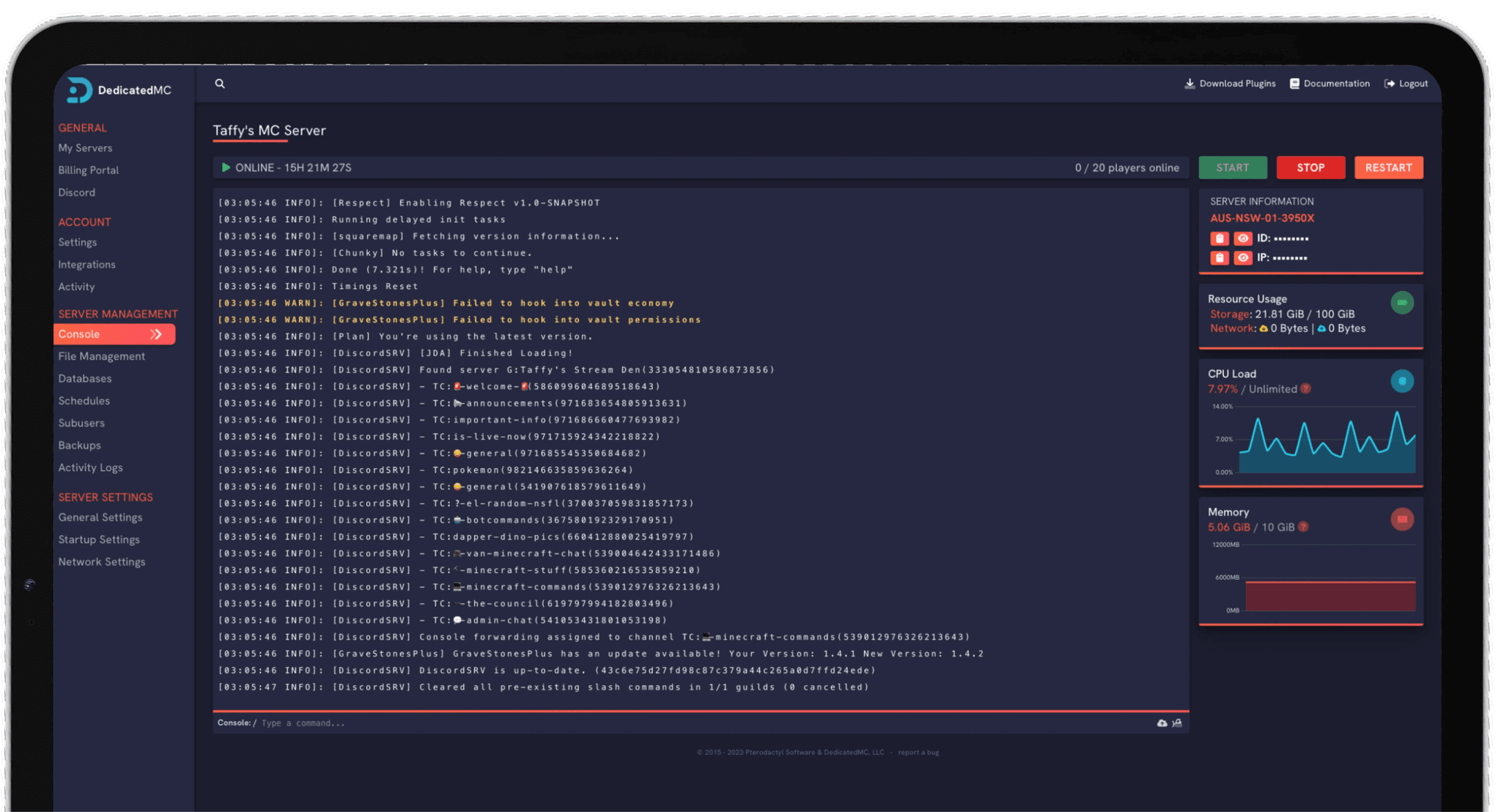
Everything runs through our in-house panel. ServerHostSettings.json and ServerGameSettings.json are edited directly in the file manager, the live console shows the server state, and scheduled tasks handle restarts and backups. Modded servers install BepInEx and pull mods from Thunderstore for quality-of-life, admin tooling and gameplay changes, with every mod config in the same file manager.
High-clock Ryzen cores and NVMe storage keep castles, servants and combat responsive when a full server and a raid night would drag oversold hardware down.
Set the game mode, clan size, blood, decay and raid timings in ServerGameSettings.json to build the exact server your community wants.
Install the BepInEx framework and add Thunderstore mods and their configs from the file manager — no manual uploads, no SSH.
Automatic offsite save backups, enterprise DDoS filtering and 24/7 Discord support from the team that built and runs the platform.
Start with ServerHostSettings.json. Set the server name and description, the password if the server is private, the max player count and the save name, and decide whether the server is listed publicly. These are the server-facing options that control who can find and join you, so confirm them before you share the address — a restart applies any change.
Then shape the gameplay in ServerGameSettings.json. Choose PvE or PvP, set your clan size to match solo, duo or large-group play, and tune blood drain and quality, castle and structure decay, item durability and the loot and progression rates. On PvP, set the raid schedule so attacks land in the hours you want rather than while your players are offline. Slower decay suits casual communities; tighter rates suit hardcore ones.
If you are running modded, install BepInEx first, then add Thunderstore mods one at a time and confirm each loads cleanly before the next, keeping them current with the game version. Schedule regular offsite backups and take a manual one before any wipe or major config change, and if you are moving from another host, upload your save and match the save name — or let the team migrate it for you.
I've loved this service since I left my old host. I never found a decent provider until this one. They have amazing support and have never let me down, even when I've had serious issues. Their plans are very affordable and for the quality you get I don't think anything beats it. I've used their service for around 4 years now and will continue to be a loyal customer.
Service and customer support? Fantastic. I've never had a single issue with my server they haven't been able to help with. The servers are always running well and their customer support is equally as good — quick, helpful, patient and most importantly very transparent. If there are any issues, they will most definitely be there to help you.
Best company hands down. Their support team is friendly, fast, and incredibly helpful — especially through Discord where you can easily open a ticket. They offer features that some competitors charge extra for, and they genuinely help with server issues without any hassle.
Been with DedicatedMC for just under a year now and have yet to have an issue. I've never had problems with downtime or their support — it's by far the best in the space. They reply almost instantly and are always happy to help.
Switching hosts usually means a weekend of zipping files and hoping nothing breaks. Our importer handles the whole migration automatically — free, on every plan.
Open the importer in your panel and tell it where your current server lives. That's the only thing we need from you.
Worlds, plugins, mods and configs transfer automatically. No zipping files, no FTP client, no support ticket.
Your server comes up on our hardware with everything where you left it. Update your players' IP and you're done.
Unusual setup? Ask on Discord and we'll do it by hand.
Both. The game mode is set in ServerGameSettings.json, so you choose PvE for a co-operative build-and-progress server, or PvP for open raiding and combat. PvP servers add a raid-timing layer on top, letting you control when castles can be attacked so offline players are not wiped out overnight. Switch the mode and restart to apply.
ServerHostSettings.json holds the server-facing options — name, description, password, max player count, ports, save name and whether the server is listed publicly. ServerGameSettings.json holds the gameplay rules — game mode, clan size, blood drain, item and structure decay, raid timings, loot and progression rates. You edit both directly in the file manager and restart to apply.
Clan size is set in ServerGameSettings.json. You can cap it small for solo and duo play, open it up for large group servers, or disable clans entirely. Because clan size drives how many players can share a castle and coordinate raids, it is one of the first values most admins tune to match the community they want.
Yes. The game settings expose blood drain and quality, castle and structure decay, item durability loss and the full raid-timing schedule. You can slow decay so casual players do not lose bases between sessions, adjust blood economy, and set exactly which hours PvP raiding is allowed. Every value is editable in ServerGameSettings.json.
Yes. You can install the BepInEx modding framework and add mods from the Thunderstore catalogue for quality-of-life, admin tooling and gameplay changes. Mod files and their configs live in the file manager, so you install and tune them without touching a command line. Keep mods current with the game version, since a major patch can require updates.
V Rising simulates persistent castles, servants, decay timers and combat for everyone on the map at once, and load climbs with player count, clan activity and the number of standing structures. A busy PvP server on wipe-adjacent nights is exactly when weak hardware stutters. High-clock Ryzen cores keep the simulation responsive so combat and raids stay smooth under a full population.
Yes to both. Automatic offsite backups capture your save on a schedule, and you can take a manual backup before a wipe or a big config change. To migrate, upload your existing save through the file manager and match the save name in ServerHostSettings.json — or open a ticket on Discord and the team will move it across for you at no cost.