
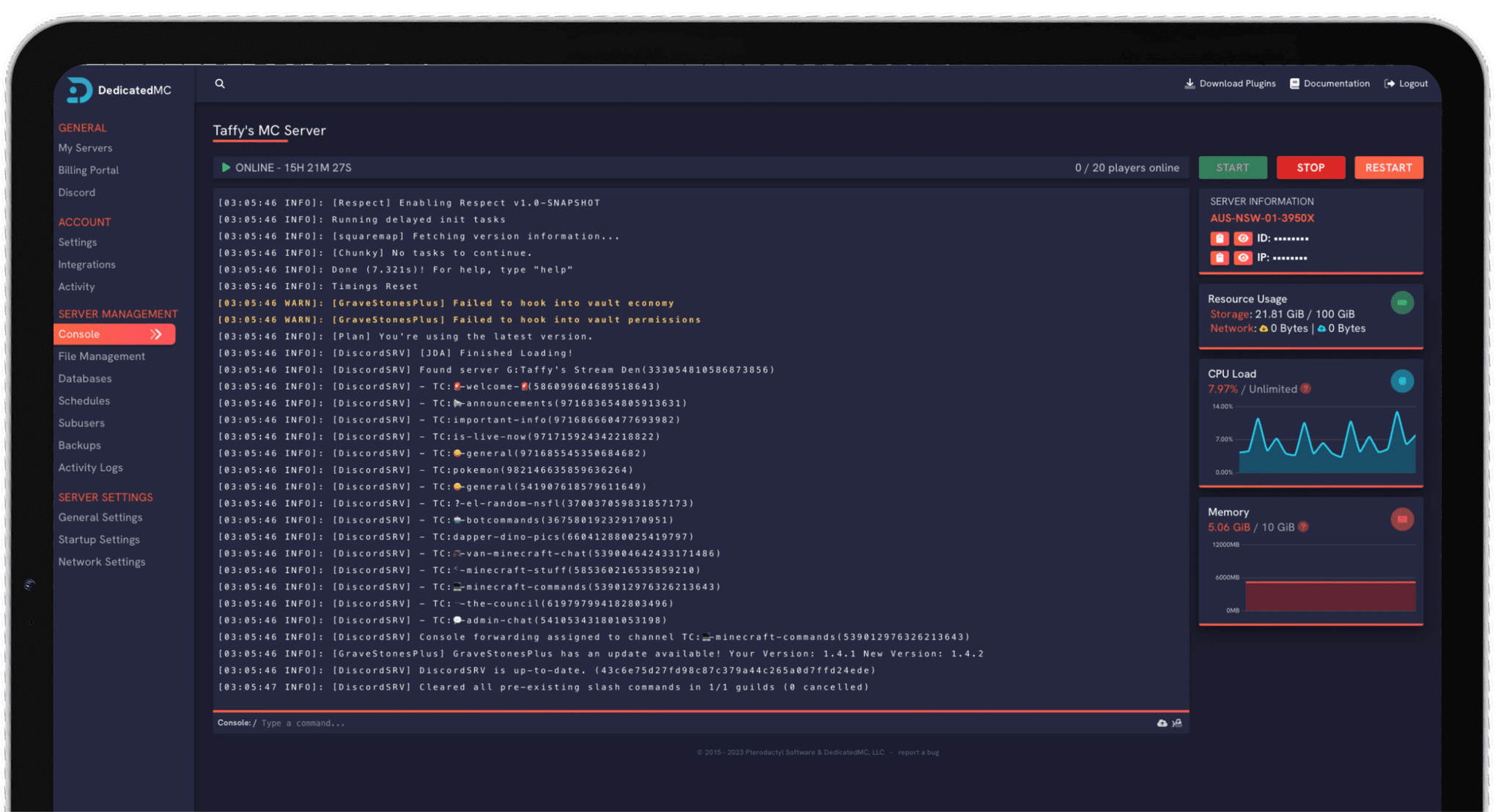
Whether you're raising a longhouse with three friends or running a 10-player conquest of the plains, DedicatedMC gives you a persistent Valheim world that lives on its own hardware instead of someone's desktop. Install the BepInEx loader, dial in your world modifiers, invite Steam and Xbox players through crossplay, and trust that automatic replication keeps your saves safe.
Valheim lets you open your own session straight from the game, but a local host ties the entire world to one player's machine and connection. The moment they log off, the world is gone — and everyone else's progress stops with it. A dedicated server flips that around. Your world runs 24/7 on our hardware, advancing raids, respawns and structural decay whether or not anyone is online, and friends connect whenever they like without waiting on a host. That persistence is the whole point of a shared Viking saga, and it's the difference between a weekend session and a world that grows for months.
Every world is generated from a seed that fixes the layout of its continents, Black Forests, swamps and boss altars. Pick a seed you like for a curated start, or roll a fresh one for an unexplored map — and because our panel gives you full file access, you can keep several worlds side by side and switch between them by name. Valheim's dedicated server holds up to 10 concurrent players, and our plans are sized so all ten slots stay responsive even when your base sprawls into hundreds of build pieces, portals and smelters.
World data lives in paired .db and .fwl files, and a corrupted save or a catastrophic Troll raid shouldn't end a hundred hours of progress. Automatic replication runs across every plan, and you can trigger a manual backup from the panel before installing a mod or editing world settings, then roll back in seconds if something goes sideways.
Modded Valheim runs on the BepInEx loader, and our panel makes installing it a case of uploading the loader and dropping plugins into the plugins folder — no SSH required. Server-wide overhauls like Valheim Plus rebalance stamina, build limits and portals for everyone; content mods built on Jotunn add new gear, biomes and creatures. Server-side mods are applied here, and each player installs the matching client version. Crossplay is supported too: Steam and Xbox/PC Game Pass Vikings can share the same world through a join code once the world is set to allow it.
Valheim's modifier system lets you shape the whole experience through server launch arguments. Set combat to anything from Casual to Very Hard, turn raids off for a pure builder's run or crank them up, adjust resource and portal rules, and choose how harsh the death penalty is. Because these are launch arguments you control from the panel, nothing is locked in — edit, restart, and your world reflects the new rules immediately. Pair that with our DDoS protection and public node monitoring, and you get a Valheim server you can actually rely on.
Valheim's server load climbs with the number of active build pieces, lit fires, spawning creatures and nearby players, and a late-game longhouse settlement can put real pressure on a node that's been oversold. We don't oversell. Dedicated CPU cores on AMD Ryzen and Intel Core hardware keep the simulation tick steady when three players are fighting a Troll raid while a fourth teleports across the map through a portal network — the moments where cheaper hosting stutters. Dual 10 GBit/s node uplinks and 15-minute data replication back that up, so your world stays both fast and safe as it grows from a first camp into a sprawling Viking stronghold that friends keep coming back to, session after session, without a single evening lost to a host who had to log off or a save that never made it to the next boss.
I've loved this service since I left my old host. I never found a decent provider until this one. They have amazing support and have never let me down, even when I've had serious issues. Their plans are very affordable and for the quality you get I don't think anything beats it. I've used their service for around 4 years now and will continue to be a loyal customer.
Service and customer support? Fantastic. I've never had a single issue with my server they haven't been able to help with. The servers are always running well and their customer support is equally as good — quick, helpful, patient and most importantly very transparent. If there are any issues, they will most definitely be there to help you.
Best company hands down. Their support team is friendly, fast, and incredibly helpful — especially through Discord where you can easily open a ticket. They offer features that some competitors charge extra for, and they genuinely help with server issues without any hassle.
Been with DedicatedMC for just under a year now and have yet to have an issue. I've never had problems with downtime or their support — it's by far the best in the space. They reply almost instantly and are always happy to help.
Switching hosts usually means a weekend of zipping files and hoping nothing breaks. Our importer handles the whole migration automatically — free, on every plan.
Open the importer in your panel and tell it where your current server lives. That's the only thing we need from you.
Worlds, plugins, mods and configs transfer automatically. No zipping files, no FTP client, no support ticket.
Your server comes up on our hardware with everything where you left it. Update your players' IP and you're done.
Unusual setup? Ask on Discordand we'll do it by hand.
Valheim's dedicated server supports up to 10 concurrent players by default. That cap is a game-engine limit rather than a hardware one, so every DedicatedMC plan is provisioned to keep all 10 slots smooth — even deep into a heavily built base with dozens of active workbenches and portals.
No. A dedicated server runs independently of your game client, so the world stays online and progresses 24/7 whether or not you're playing. Unlike a local peer-hosted session, nobody has to be logged in for friends to jump on, and world state isn't tied to one person's connection or machine.
Yes. Our panel gives you full file access and console control, so you can install the BepInEx mod loader and drop plugins such as Valheim Plus, ValheimRAFT or custom Jotunn mods straight into the plugins folder. Server-side mods that all players need are applied on the server; clients install the matching version locally.
Yes. Valheim supports crossplay between Steam and Xbox/PC Game Pass players through the same dedicated server, provided the world is set to allow it. Players connect by IP and port or through the crossplay join code, so a mixed group can share one persistent world.
Yes. World modifiers and presets — combat difficulty, raid frequency, resource rates, portal rules and death penalties — are set through server launch arguments, which you can edit and restart at any time. You're not locked into the settings you chose on day one.
Every plan replicates your data automatically and you can trigger manual backups from the panel before risky changes. Bringing an existing world across is just a matter of uploading your .db and .fwl files, or handing us your current host's SFTP details and letting our team migrate it for free.
Yes. The seed is fixed when a world is first generated, but you can spin up a brand-new world with any seed at any time, or swap between multiple saved worlds by changing the world name in your startup configuration and restarting.