
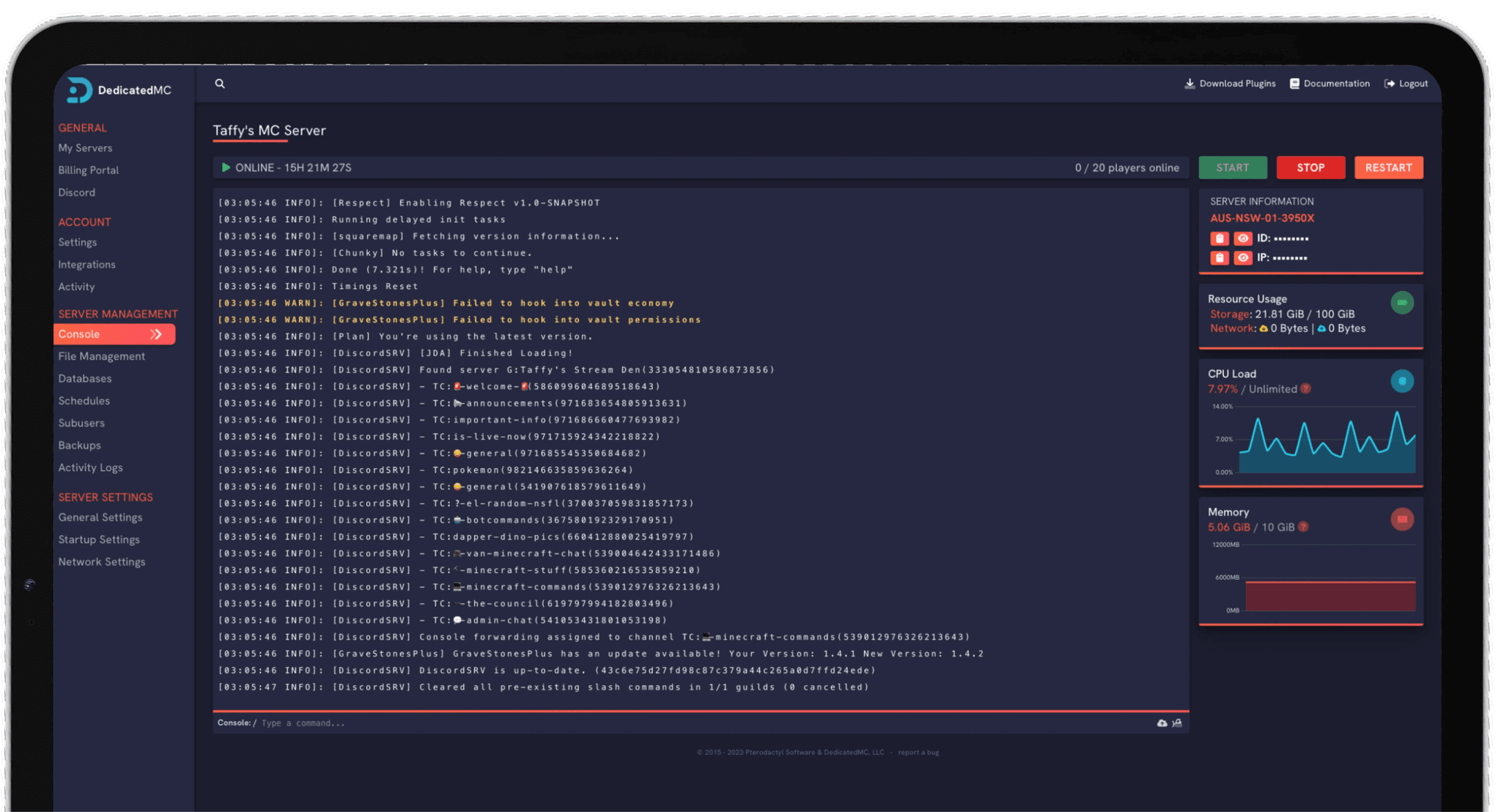
Vintage Story is uncompromising voxel wilderness survival with a small, deeply invested community — the kind of game people run a private server for and stay on for months. DedicatedMC hosts it on high-clock hardware with a modern, managed .NET runtime, so you never touch a runtime dependency. Install mods from the Vintage Story ModDB, work through the game's deep world configuration, whitelist your players, keep your world backed up offsite, and stay online behind enterprise DDoS protection.
Vintage Story is a detailed, uncompromising take on voxel survival — real seasons and temperature, hunger and nutrition, knapping and smithing and pottery, and a temporal stability system that keeps the world tense. It draws a small but loyal community that tends to settle onto a server and stay, which is exactly the sort of long-running world a dedicated server is for. Run it always-on and your group carries one world forward together across seasons rather than restarting whenever a host logs off.
The one thing that catches people out self-hosting Vintage Story is the runtime: the server runs on .NET, so a self-hosted box needs a working dotnet runtime installed and maintained. We handle that for you with a modern, managed runtime, so you get a working server without installing dependencies or chasing runtime versions after an update. The panel installs and updates the game server on top of it, and the whole thing is managed without a command line.
Vintage Story is not the heaviest survival game to host, but a detailed voxel world still rewards responsive hardware as chunks load and the simulation runs. We put it on high-clock Ryzen cores with NVMe storage so chunk loading and world updates stay smooth for your group, and back it with the same infrastructure as everything else we run.
Vintage Story's server runs on .NET, and we provide a modern, managed runtime so you never install or maintain a dotnet dependency yourself.
Drop mods from the official Vintage Story ModDB into the mods folder through the file manager and restart — no CLI, no manual dependency wrangling.
Set world size and seed, climate, season pace, ore distribution and survival difficulty to generate a gentle world or an uncompromising one.
Whitelist your community, lean on automatic offsite backups and enterprise DDoS filtering, backed by 24/7 Discord support from the team that runs the platform.
Shape the world before you generate it. Vintage Story's world configuration is deep — world size and seed, climate and temperature, how fast the seasons move, ore and resource distribution, and the survival difficulty that decides how punishing the early game is. A gentle exploration server and a harsh wilderness one are the same game with different values here, so decide the kind of world you want and set it before the map is created rather than after.
For mods, download what you want from the official ModDB and drop it into the server's mods folder through the file manager, then restart to load it. Players connecting to a modded server need the matching mods, so keep your mod versions aligned with your game version — an update that moves one out of step is the usual cause of a mod failing to load, and it is easily avoided by pinning versions.
To keep the server the way its community likes it, turn on whitelisting so only approved players join, and manage roles and permissions from the console or config. Add a scheduled task that backs up your world regularly, take a manual backup before a big change, and restore an earlier save if you need to. Bringing a world from another host is a matter of uploading the save and mods — or letting the team move it for you.
I've loved this service since I left my old host. I never found a decent provider until this one. They have amazing support and have never let me down, even when I've had serious issues. Their plans are very affordable and for the quality you get I don't think anything beats it. I've used their service for around 4 years now and will continue to be a loyal customer.
Service and customer support? Fantastic. I've never had a single issue with my server they haven't been able to help with. The servers are always running well and their customer support is equally as good — quick, helpful, patient and most importantly very transparent. If there are any issues, they will most definitely be there to help you.
Best company hands down. Their support team is friendly, fast, and incredibly helpful — especially through Discord where you can easily open a ticket. They offer features that some competitors charge extra for, and they genuinely help with server issues without any hassle.
Been with DedicatedMC for just under a year now and have yet to have an issue. I've never had problems with downtime or their support — it's by far the best in the space. They reply almost instantly and are always happy to help.
Switching hosts usually means a weekend of zipping files and hoping nothing breaks. Our importer handles the whole migration automatically — free, on every plan.
Open the importer in your panel and tell it where your current server lives. That's the only thing we need from you.
Worlds, plugins, mods and configs transfer automatically. No zipping files, no FTP client, no support ticket.
Your server comes up on our hardware with everything where you left it. Update your players' IP and you're done.
Unusual setup? Ask on Discord and we'll do it by hand.
No. Vintage Story's server runs on the .NET runtime, and we provide a modern, managed one so you do not have to install or maintain it. You get a working server without touching runtime dependencies — the panel installs and updates the game server on top of that runtime for you.
Mods come from the official Vintage Story ModDB. You download the mods you want and drop them into the server's mods folder through the file manager, then restart to load them. Players connecting to a modded server need the matching mods, and it is worth keeping mod versions aligned with your game version so nothing breaks after an update.
A lot. Vintage Story exposes deep world configuration and customisation — world size and seed, climate and temperature, the pace of the seasons and the temporal-stability mechanics, resource and ore distribution, and the overall difficulty of survival. You can generate a gentle exploration world or an uncompromising wilderness one from the same server by adjusting these before you generate the map.
Yes. Vintage Story supports whitelisting so only approved players can join, which suits the kind of small, invested community the game tends to attract. You manage the whitelist and the player roles and permissions from the server console or config, and combine it with a password if you want an extra layer.
Yes. Vintage Story keeps its world in a save database on the server, and automatic offsite backups capture it on a schedule so a bad update, a mod conflict or a corrupted save does not cost you the world. You can take a manual backup before a big change and restore an earlier save from the panel if you need to roll back.
Vintage Story is a detailed voxel survival game, and its server load scales with world activity, the number of loaded chunks and the mods you run. It is not the heaviest survival game to host, but it benefits from responsive hardware, so we run it on high-clock cores with NVMe storage to keep chunk loading and world simulation smooth for your group.
Yes. Upload your existing save and your mods through the file manager, line up the same mod versions and restart the server. If you would rather we handled the move, the team offers free migration help — open a ticket on Discord and we will bring your world across for you.